
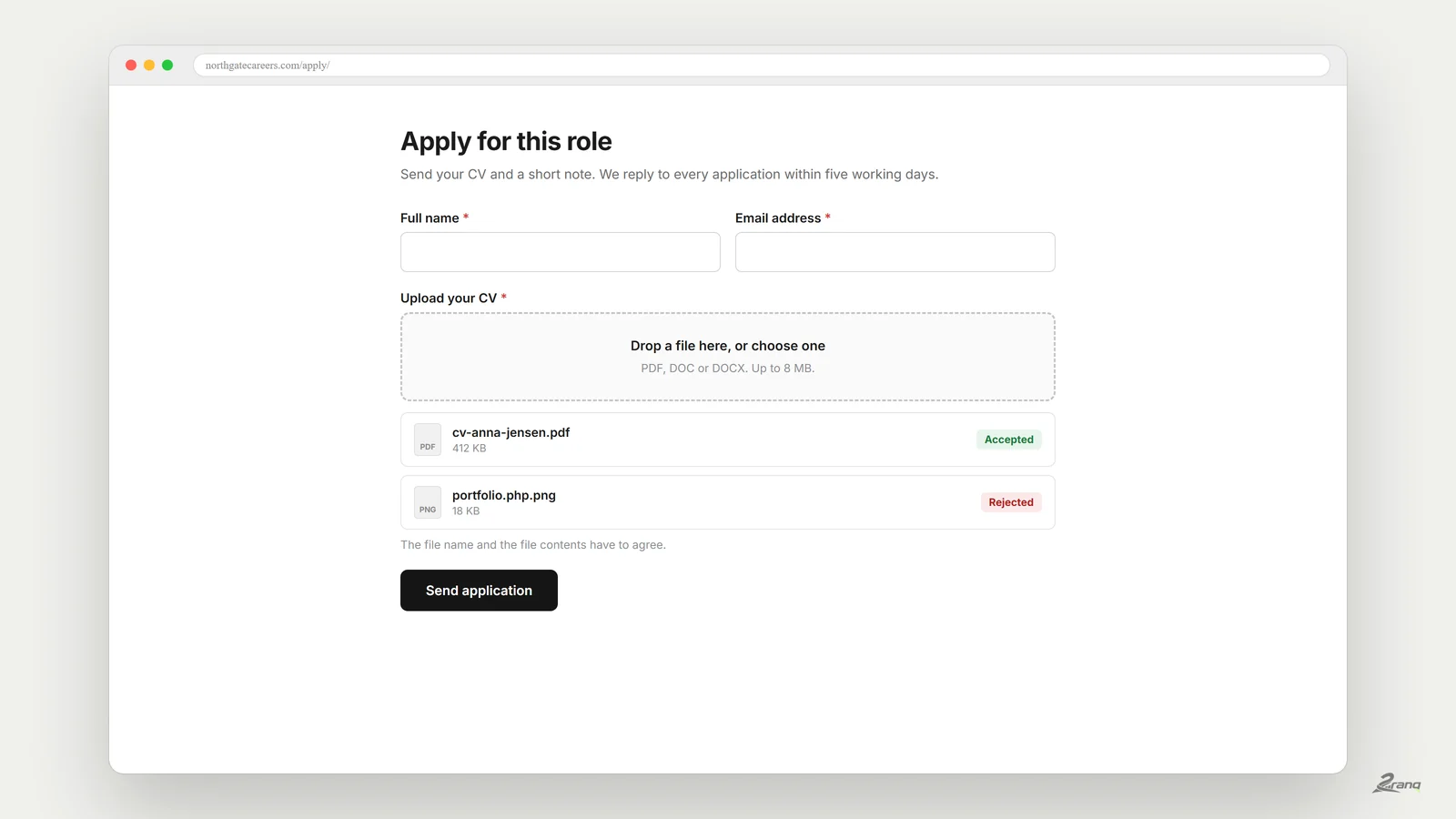
WordPress file upload form is one of those things that sounds trivial and is not. Accepting a file from a stranger means accepting a file from anyone, so the useful part of this guide is less about adding the field and more about what has to happen after someone clicks send.
How do you add a file upload form in WordPress?
You need a form plugin with a file upload field, because WordPress core has no front end upload for visitors. Add the field, set which file types you accept and a maximum size, then decide where files are stored and who can open them. The whole job is about fifteen minutes. Getting it safe is the part worth reading about.
The three risks nobody mentions in the setup guide
A file upload form is the one place where a stranger writes to your server. Three things go wrong, and all three are avoidable.
- A file that is not what it claims. Something named holiday.jpg.php is a script wearing a photo's name. If the folder it lands in can execute code, that is a compromised site.
- A public uploads folder. Files often land in a directory anyone can browse. A CV with a phone number and address should not be one guessed URL away.
- An unbounded field. Without a size limit and a type list, one visitor can fill your disk, and your host will notice before you do.
None of this requires an attacker with skill. It requires a form that accepts anything and a folder that runs anything.
What a safe upload actually checks
A serious implementation checks the file twice, because the name and the contents are separate claims and both can lie.
- The extension against a list you control. Allow what you need, not everything you can think of.
- The contents against the extension. Read the file and confirm it really is the type it claims.
- The size, before anything is written to disk.
- The destination folder. It should not execute code and should not list its contents.
- The stored filename. Rename to something random, and keep the original name in the database next to the entry.
That last one matters more than it looks. If the stored name is random, a guessed URL leads nowhere, and the person reading the entry still sees the file was called cv-anna-jensen.pdf.
Is a file upload form free in WordPress?
Usually not, which is why so many people end up here. WPForms describe file uploads as part of their Pro version on their own listing. Ninja Forms sells File Uploads as a paid add-on. Fluent Forms puts File Upload in the Pro column. Gravity Forms has no free tier at all. Contact Form 7 does include a file field, though it does not store entries, so the file arrives by email and nothing is kept.
Doing it with a plugin that includes uploads free
We kept hitting this on client sites, so we built 2ranq Forms and published it free under the GPL. File upload is a normal field, not an upgrade, and the checks above are how it behaves out of the box.
Concretely, when a visitor sends a file:
- The filename and the contents have to agree, so name.php.png is rejected.
- The file is renamed to a random name and stored in a folder that does not run code and does not list its contents.
- The original name is kept with the entry, so the person reading it sees what the sender called it.
- Opening the file from the dashboard goes through a one time link tied to that specific entry, and requires an administrator.
- If the form fails validation for any other reason, the accepted file is deleted rather than left behind.
Sensible limits for common cases
Most sites over-allow because it feels safer to accept everything. It is not. Narrow limits reject fewer legitimate files than people fear.
- Job applications: pdf, doc, docx. 8 MB is generous for a CV.
- Damage or warranty claims: jpg, png, heic. 10 MB, and allow several files.
- Quote requests from drawings: pdf, dwg if you really need it. 20 MB, one file.
- Anything else: start with pdf and images, and widen it when someone actually complains.
Do not forget what the law expects
An uploaded CV is personal data, and so is a photo of someone's damaged property. Two practical consequences: say on the form what the file is used for and how long you keep it, and have a way to delete it when asked. A form that stores entries in your own database makes both easy. A form that only emails files makes deletion nearly impossible, because copies live in every inbox that received one.
This is not legal advice, and your obligations depend on where you and your visitors are. It is simply the part that is expensive to bolt on later.
Testing it before you trust it
Two minutes of testing catches almost everything. Do it on the live form, once, before you announce it.
- Send a normal file and confirm the entry, the email and the stored file all match.
- Rename a text file to test.php.png and try to send it. It should be refused.
- Copy the stored file URL and open it in a private window. It should not open for a stranger.
- Try a file above your size limit and check the message is understandable, not a raw server error.
If all four behave, the form is ready. If the third one opens the file, stop and fix the folder before you take a single real submission.
Taking documents through your website?
Uploads are the one place a stranger writes to your server. We can check how yours is set up before it matters.